Operational planning: one click beats the morning lap
Operational planning on the workshop floor is often a lap, a whiteboard, and three conflicting answers. Here is what a one-click daily workshop summary should show.
Operational planning on the workshop floor is supposed to answer a simple question: what matters today. In practice it often means a lap of the building, a squint at the planning board, three answers that do not match, and a supervisor trying to remember what night shift meant when they wrote "nearly done."
That is not planning. That is detective work before the first coffee is finished.

What operational planning looks like on the floor
Operational planning is deciding where labour, machines, and attention go today based on what is actually happening in the shop. Not the ideal plan from Monday. Not the version in someone's head. The real state of jobs, bottlenecks, due dates, and unfinished work from yesterday.
For a fabrication shop or machine shop running project work, that usually means:
- what finished on the last shift
- what is overdue or due soon
- how much work is still estimated on those jobs
- which tasks should move to the front of the queue
- whether your time estimates still match reality
The Lean Enterprise Institute describes visual management as making status obvious at a glance. Daily management applies the same idea: problems should surface in hours, not weeks. A workshop version is not a two-hour meeting. It is a clear read on the floor before anyone starts cutting metal.
The morning lap problem
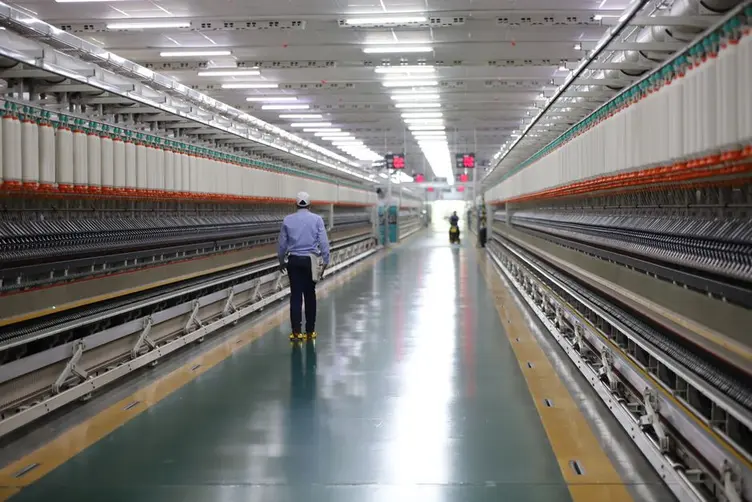
The default operational planning tool in many workshops is still a person with boots on. The supervisor walks the floor, finds the leading hand, asks what got done, checks the whiteboard, reads a note that might be from yesterday or last Tuesday, then tries to assign work for the day.
Night shift finishes what they can. Day shift arrives asking what actually got done. The board says one thing. Mick says another. The note on the job might be from Tuesday. By the time the supervisor has walked three bays, the handover is half memory and half hope.
Spreadsheets make it worse when they are the plan. Someone searches the sheet, hits the wrong key, and a cell becomes the letter F. Now the supervisor is fixing Excel before they can fix production. That story belongs to every shop that outgrew a file but kept using it anyway.
If your operational planning depends on one person physically collecting the truth every morning, the plan is already behind before smoko.
What a one-click workshop summary should show
A useful daily workshop summary should replace the lap, not add another dashboard upstairs that nobody on the floor trusts.
At minimum, one click should show:
| Section | Why it matters |
|---|---|
| Yesterday's booked work | Proof of what actually happened, by job and task |
| Tasks completed | Handover without asking twelve people |
| Overdue and near-due jobs | Due dates with progress, not just a red marker on a board |
| Estimated hours remaining | Rough load left on hot jobs, not a guess from the leading hand |
| Priority recommendations | Suggested focus for today based on dates and open work |
| Estimate drift warnings | Tasks that consistently run over or under their estimates |
If you still need a lap after reading it, the summary is incomplete or the data on the floor is not being kept current. Garbage in, garbage out. Same as always.
Estimated hours and delivery dates
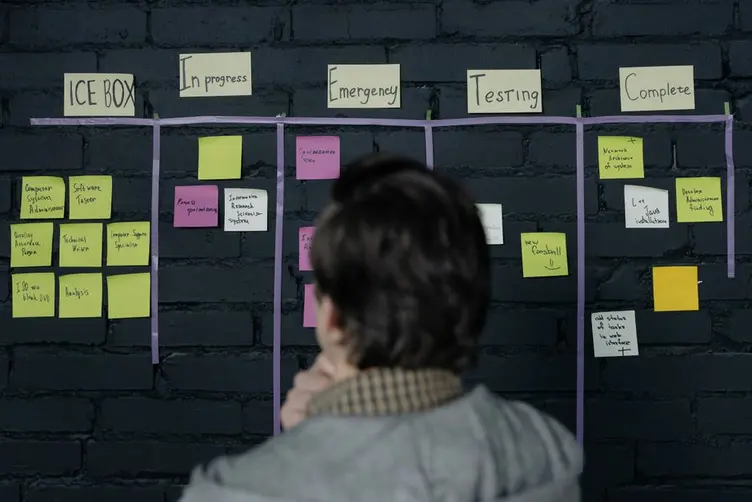
Due dates on a whiteboard tell you something is urgent. They rarely tell you whether the shop can still hit the date without a miracle on weld or paint.
Operational planning gets useful when overdue and near-due jobs show:
- percent complete on the job
- remaining tasks by name
- estimated time left where estimates exist
- a flag when key jobs have no delivery date at all
That turns "we might be in trouble" into "we need four hours on fit-up and blast is blocked." Supervisors stop negotiating with the board and start allocating people.
This connects directly to job tracking and production scheduling. Scheduling says what should run. Operational planning says what must run today given reality.

When estimates drift from reality
Workshops that track time properly eventually learn something uncomfortable: the estimate on the job card was optimistic, or padded, or written once three years ago and never updated.
Good operational planning should compare estimated task time against actual completed runs. If a task type is consistently taking 50% longer than the estimate, the plan is lying to you. If it is always faster, you are quoting too much labour and losing work.
That is not a lecture about data. It is practical. Wrong estimates break priority calls. Jobs look on track until the last two operations eat the buffer. Customers get promises based on fiction.
A daily summary should surface those drifts after enough repeat runs, and suggest updating the estimate before the next quote uses the old number. Planning boards fail when the numbers behind them stop matching the floor. Same problem, different screen.

Stagetrac Daily Brief
We built Daily Brief in Stagetrac for the morning coffee test. One click. Yesterday summarised. Today clarified.
Daily Brief pulls together:
- Yesterday's work: hours booked, by job and task, plus tasks and jobs completed on the last shift
- Delivery pressure: overdue jobs, jobs due within seven days, and active jobs missing a delivery date
- Time remaining: estimated hours left on open tasks where estimates exist, with progress on each job
- Recommendations: prioritised actions for the day based on overdue work, upcoming due dates, and data gaps
- Estimate insights: task variants that consistently run over or under their estimates, with a suggestion to adjust the estimate after enough repeat history
The goal is not another report for the office. It is replacing the lap, the whiteboard decode, and the "what did night shift actually finish" conversation before you assign anyone.
If workers keep status current as jobs move, the brief stays trustworthy. If nobody updates the floor, you get a faster wrong answer. The tool does not replace discipline. It rewards it.
Want to see how much manual coordination is costing before you change how mornings work? The free workshop audit gives you a rough number in a few minutes.

You might not need a digital brief yet
If one shift, low job count, and the leading hand still knows every job by heart, a whiteboard and a five-minute chat may be enough. Do not add software because mornings feel busy once a month.
A one-click summary earns its place when:
- supervisors spend the first hour walking and asking instead of assigning
- due dates slip because nobody saw the backlog building
- handovers between shifts regularly contradict each other
- estimates never get corrected even though everyone knows they are wrong
You might only need a clearer planning board and a fixed handover habit. That is free and harder than it sounds.
Software helps when the shop is too large for one person's head to hold the full picture. Operational planning should get faster as complexity grows, not slower.
Practical takeaway
Operational planning is deciding what gets attention today based on truth from the floor. If gathering that truth takes a lap, three chats, and a spreadsheet repair, the shop is paying for coordination before work starts.
A one-click workshop summary is worth having when it shows yesterday's work, today's pressure, hours remaining, and bad estimates without a meeting. Open it with your coffee. Then send people where they actually need to go.
That is usually where the morning gets saved or wasted.
Frequently asked questions
What is operational planning in a workshop?▼
What should a daily workshop summary include?▼
Why do supervisors walk the floor every morning?▼
How do time estimates improve operational planning?▼
What is the difference between operational planning and production scheduling?▼
When does a workshop need a digital daily brief?▼
What is Stagetrac Daily Brief?▼
Can a whiteboard replace operational planning software?▼

Gordon Hogan
Founder, Stagetrac
20+ years on the workshop floor. Built Stagetrac after watching too many whiteboards, spreadsheets, and planning boards fail under real production pressure.