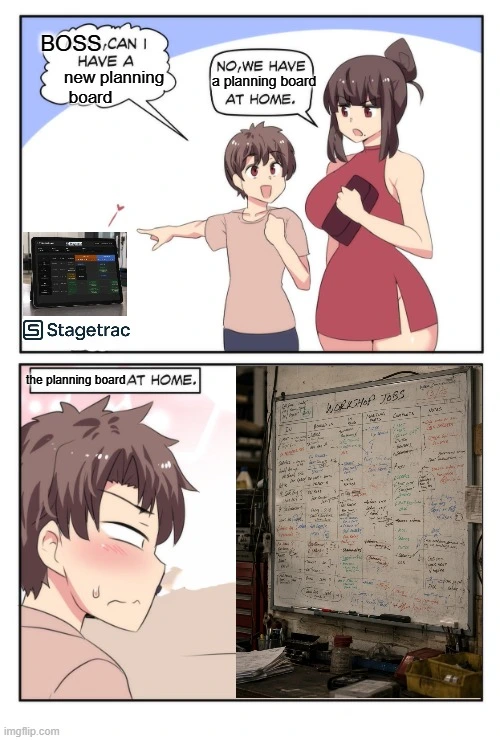
Job tracking for workshops that still walk the floor
Job tracking is not a spreadsheet column or an ERP module. Here is what fabrication and machine shops need to see where every job is without walking the building.
Customer rings asking where job 4471 is. The person who answers puts them on hold, walks the floor, checks two machines, asks Mick, comes back ten minutes later with a guess. That is not job tracking. That is cardio with a phone pressed to your ear.
Job tracking is knowing where work is right now: which jobs are running, waiting, stuck, and done. Not what was planned at 7AM. Not what someone meant to update after smoko. What is actually happening on the floor.
What job tracking actually is
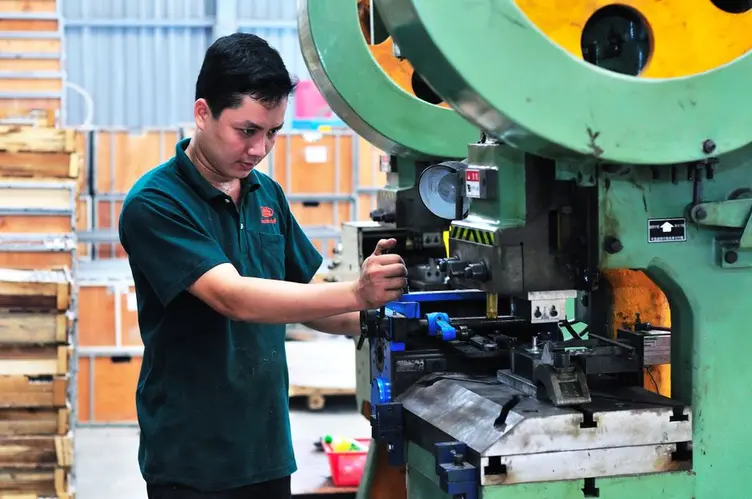
Job tracking follows individual jobs through a workshop from order to dispatch. In a fabrication shop or machine shop running one-off and small-batch work, that usually means:
- current status per job (quoted, in progress, waiting on material, ready to ship)
- which operation or machine it is at now
- what finished on the last shift
- what is blocking the next step
Work in process is the inventory sitting between raw material and finished goods. Job tracking is how you stop that WIP turning into a mystery pile everyone walks past because nobody is sure which customer it belongs to.
Good job tracking answers basic questions in seconds:
| Question | Bad answer | Good answer |
|---|---|---|
| Where is job 4471? | "Ask Dave" | "Second op on the Mazak, due Thursday" |
| What did night shift finish? | "Not sure yet" | "Jobs 4462 and 4468 complete, 4471 half done" |
| What is stuck? | "Something in welding" | "4471 waiting on laser-cut blanks from stores" |
| Can we take this rush job? | "Maybe?" | "Mill is free after lunch if we bump 4465" |
That is the layer between a planning board and full upstairs reporting. You do not need infinite dashboards. You need one version of reality the floor and the office both believe.
Job tracking vs scheduling vs ERP
These get bundled together in demos. On the floor they are different jobs.
Job tracking tells you where work is now.
Scheduling decides what should run next and in what order.
ERP ties jobs to quoting, purchasing, inventory, costing, and invoices upstairs.
A schedule can be perfect on paper while the floor has already moved on. ERP can tell you what was planned yesterday while the operator is running something else because material for the scheduled job never arrived. Job tracking closes that gap.
A manufacturing execution system sits closer to production: real-time status, operation progress, and floor data. Many shops need that visibility layer before they need another ERP module.
Andon thinking applies here. One glance should show what is running, waiting, and stuck. If your tracking system needs a tutorial and three clicks to answer "what's on the mill," the machinists will go back to asking Mick.
Job tracking is not production scheduling software either. Scheduling argues about sequence. Tracking tells you whether reality matches the argument.
Why paper travelers stop working
Paper job cards and travelers work in small, stable shops. Everyone knows the system. Signatures go in the right box. The card moves with the job.
Then volume picks up.
Paper breaks when:
- cards stay in someone's toolbox instead of moving with the part
- signatures get missed on page 20 because the job was already at the machine
- night shift works off a card day shift never updated
- supervisors spend the morning meeting fixing yesterday's paperwork instead of today's queue
- the official traveler says one thing and the whiteboard says another
An apprentice broke a tap inside a hole once. Instead of stopping and calling the leading hand, he decided to tap from the opposite side hoping the broken tap would somehow screw itself back out. Classic apprentice logic. Workshops do the same thing with tracking when the official system is too slow: they work around it, improvise, and hope the problem fixes itself. It rarely does.
Paper is not stupid. It just does not scale when ten jobs move through five operations and three shifts. That is when shops start looking at a digital tracking system, a live board, or better discipline on the one they already have.
What workshops need from job tracking
Whether you use software, a screen by the CNCs, or a whiteboard that actually gets updated, job tracking earns its keep when it does these things:
| Need | Why it matters |
|---|---|
| Live status | Stops the "where is it" phone call loop |
| Operation-level progress | Night shift knows what day shift finished |
| One shared view | Office and floor stop running different stories |
| Fast updates | Operators will not stop mid-setup for a form |
| Trust | Wrong once and people go back to asking Dave |
Bad job tracking adds admin. Good job tracking removes laps around the building.
The same rules apply as workshop management software generally: if workers cannot understand it quickly, if it slows them down, or if it only works when someone sits at a desk, it will fail on a rough week. Workshop software becomes useless when it creates extra work instead of removing it.
Small communication gaps compound fast in workshops. A missing update on one job card becomes a customer callback, a resequencing argument, and a supervisor doing laps before lunch. Job tracking is supposed to shrink that friction, not move it into a different screen.
How to make job tracking stick on the floor
The best tracking system in the world loses to a whiteboard the boys actually read. Adoption beats features.
Software or process is working if:
- a new operator can find job status in under a minute
- updates take seconds at the machine, not at a desk later
- night shift can see what day shift finished without a handover meeting
- supervisors trust the board enough to answer customers without walking the floor
- the system still matches reality on Friday after a rough week
Test it where the chips fly, not in the demo room. If the machinist would not glance at it during smoko, it will not survive a month.
Start small. Track status and queue order before you track every scrap reason code and tolerance field. Get one shift trusting the view, then roll it out. Same lesson as why planning boards stop working: the board fails when keeping it true becomes harder than doing the work.

You might not need software yet
If your shop is small, on one shift, and running a handful of jobs through a few machines, a disciplined whiteboard and a tight job card process might still be enough. Do not buy job tracking software because a vendor showed you real-time WIP dashboards in a sales call.
Fix the discipline first:
- one person owns updating the board at set times
- job cards move with parts, not with whoever forgot them in their pocket
- shift handover covers stuck jobs, not just "she'll be right"
Software earns its place when manual tracking costs you hours every week in searching, resequencing, missed due dates, and customer callbacks you cannot answer from the desk. If that cost is real and recurring, a live planning board or job tracking tool is worth a look.
Machine shops and fab shops hit that wall at different sizes, but the signal is the same: the official status falls behind reality every week and supervisors stop trusting it.
Stagetrac is automatic job tracking for production workshops: live job status without turning operators into data-entry clerks. If you want a rough sense of how much manual coordination is costing your shop, the free workshop audit takes a few minutes.
Practical takeaway
Job tracking should make status obvious, shared, and fast to update where the work happens.
If your queue is still accurate on Friday after a rough week, you might not need to change anything. If answering "where is that job" still means walking the floor, fix visibility before you buy more modules upstairs.
Frequently asked questions
What is job tracking in a workshop?▼
What is the difference between job tracking and production scheduling?▼
Do small workshops need job tracking software?▼
Why do paper job travelers fail in busy shops?▼
What should job tracking software do on the shop floor?▼
Is job tracking the same as ERP?▼
When should a workshop switch from whiteboards to digital job tracking?▼

Gordon Hogan
Founder, Stagetrac
20+ years on the workshop floor. Built Stagetrac after watching too many whiteboards, spreadsheets, and planning boards fail under real production pressure.