Workshop software without moving the ten-year spreadsheet
Workshop software does not mean importing ten years of Excel. Here is why shops stay on the spreadsheet, and how to start with the next live job instead.
Workshop software is an easy conversation until someone opens the spreadsheet that actually runs the shop. It is ugly. It is also the only file everyone already knows how to use, break, and quietly fix before the customer rings.
That is not stubbornness. A known mess is safer than a clean system nobody trusts yet.

Why the spreadsheet still wins
A spreadsheet is a grid. Workshops turned it into a planning board, a job list, a quoting scratchpad, and the only history of how last winter's rush actually got out the door.
People keep it because:
- everyone already knows it
- it is flexible when a job does not fit the boxes
- changing systems is difficult
- the current file is familiar, even when it is wrong
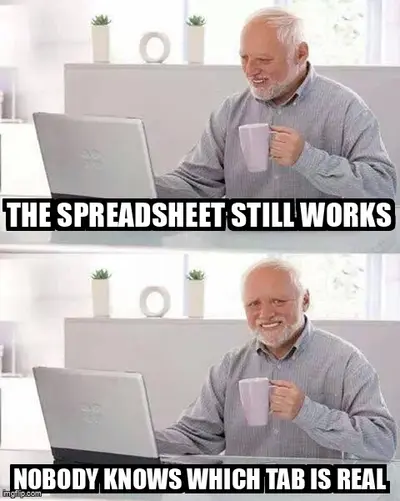
Spreadsheets work. They stop making sense as the shop gets busier. The bloke who built the file still knows which tab is real, which column is a lie, and which colour means "Dave will fix it after smoko." That knowledge is the system. The software demo does not have it.
So the honest answer to "why not just get workshop software" is often: because this one already works well enough to be dangerous to touch.

What familiarity is actually protecting
Familiar does not mean good. It means predictable.
The supervisor knows the whiteboard lies after Tuesday, and still knows who to ask. The leading hand knows the paper job card lives in a toolbox. Excel has a version called FINAL that is not final. None of that is efficient. All of it is a map.
Workshop software fails the first week when it deletes that map and offers a login instead. Workers are not refusing improvement. They are refusing a week where nobody can find job 4471.
The Lean Enterprise Institute describes visual management as status you can read at a glance. A spreadsheet only does that for the person who built it. Everyone else is translating. That is the real cost. It is also why ripping it out on a Friday feels like setting fire to the map.
A planning board fails the same way when only one person can keep it true. Familiarity is that person. Lose them, and the file is just coloured cells.
The migration that looks like a nightmare
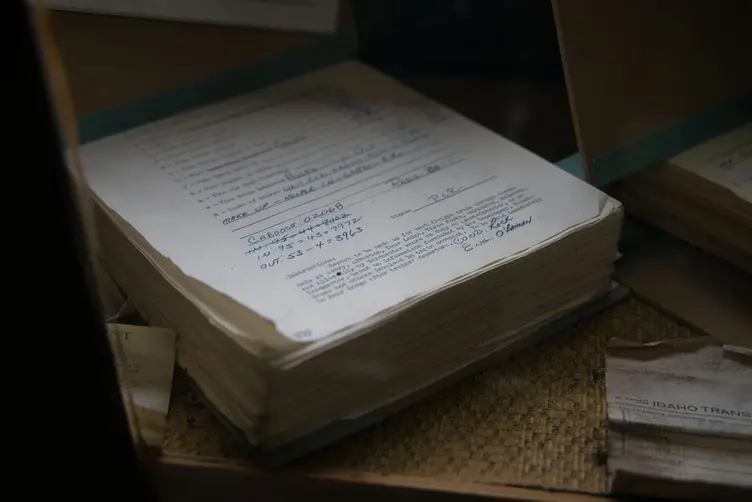
Old sheets accumulate formulas, hidden columns, workarounds, and notes that only make sense if you were there. "Do not delete row 400, the dispatch date looks at it." Someone wrote that in 2019. Nobody has checked if it is still true.
Moving "everything" sounds like:
- rebuilding ten years of jobs nobody will open again
- retraining night shift in the middle of a rush
- discovering the formula was wrong, but the shop had learned to ignore it
- a Monday where the new system and the old file disagree, and the old file wins
That fear is reasonable. A big-bang cutover asks the shop to bet the week on a file import. If it goes badly, production does not pause while IT apologises.
The ABS Australian Industry data still shows manufacturing as a large employer, mostly in smaller operations. Those shops do not have a migration team. They have a supervisor who is also the planner, the chaser, and the person who knows the spreadsheet.

What you do not have to move
You do not owe the new system your archive.
History can stay where it is. Closed jobs, old quotes, the tab everyone is scared to touch. Leave them. The spreadsheet can remain the museum.
What has to be visible is the work that is still moving:
| Leave behind | Start fresh |
|---|---|
| Closed jobs and old quotes | Jobs that are open now |
| Formulas only one person understands | The next job that walks in |
| Colour codes that mean "ask Dave" | Status the floor can update |
| Ten years of tabs | This week's due dates |
New work goes into workshop software. The old file stays open for anything already in it. Over a few months the live shop is in one place, and the spreadsheet becomes reference, not the plan.
That is slower than a sales demo. It is also how you avoid a weekend where someone "just imports it" and job numbers come back as dates.

Workshop software without a big-bang cutover
Workshop management software should reduce searching, not demand a new religion. If the floor has to re-learn the whole shop before a single job is clearer, the rollout is the product.
A practical start:
- pick one live job, not the archive
- put that job where the floor can see status without opening Excel
- leave every other open job on the old board until someone is sick of checking two places
- add the next new job to the new system only
Stagetrac is built for that kind of start. An automatic planning board for the jobs you choose to put on it, not a demand that the 2016 workbook moves in over a weekend. If you want a rough read on what the current mess is costing before you touch the file, the free workshop audit takes a few minutes.
Two systems for a while is fine. Two systems forever means nobody trusts either. The point of the overlap is to let the new one earn trust on real jobs.

You might not need to leave Excel yet
If the shop is small, one shift, and one person can still keep the sheet honest on a busy Friday, leave it. Workshop software that nobody opens is a second spreadsheet with a password.
Move when:
- only one person can explain the file
- a wrong edit can wreck a row and nobody notices until dispatch
- the floor cannot see the plan unless someone prints it
- "which version" is a daily argument
You might only need a tighter workshop planning board and a rule about who updates it. That is cheaper than software and harder than it sounds.
If the file is already a second job, staying is not free. It is just a cost you stopped seeing.
Practical takeaway
Shops stay on the spreadsheet because it is familiar and because moving it looks like a project. Both reasons are fair.
You do not have to replace ten years of formulas to get a clearer view of the work that is still open. Keep the old file. Put the next job somewhere the floor can read. Let the spreadsheet retire when it is no longer the plan.
That is usually how a system survives the first month.
Frequently asked questions
Why do workshops keep using Excel instead of workshop software?▼
Do I have to migrate every old job into workshop software?▼
What is workshop software?▼
When should a workshop leave spreadsheets?▼
Can a shop run Excel and workshop software at the same time?▼
What usually goes wrong in a workshop software rollout?▼
Is a whiteboard better than workshop software?▼
How do I start without disrupting production?▼

Gordon Hogan
Founder, Stagetrac
20+ years on the workshop floor. Built Stagetrac after watching too many whiteboards, spreadsheets, and planning boards fail under real production pressure.