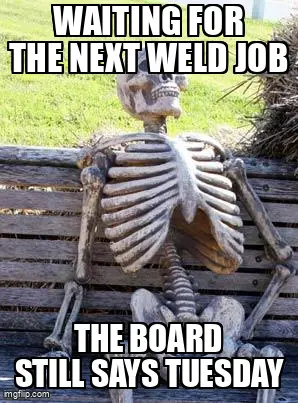
Welding management software for the bay, not the audit
Welding management software is often sold as WPS folders and tickets. Here is what welding bays need first: job flow, visibility, and a clear next weld.
Search for welding management software and you get welder tickets, WPS folders, and audit-ready traceability. Fair enough if a customer or a code body is about to walk the shop. That is not what a welder means when he asks what is next after smoko.
Welding management software, for a busy bay, is the layer that tells people which job is ready to weld, what is waiting on fit-up, and what is already late. If it only helps the quality clerk, you bought a filing cabinet with a login.
What search results mean by welding management software
The category name is doing two jobs at once.
On one side you have quality systems: welding procedure specifications, procedure qualification records, welder continuity, inspections, NDT, weld maps. Welding as a process is a permanent join with heat, filler, and a heat-affected zone that actually matters when something fails. Codes exist for a reason.
On the other side you have the workshop: jobs sitting in a bay, a leading hand asking who is free, a whiteboard that still says the job is in fit-up when the welders finished yesterday.
Those are related. They are not the same purchase.
| Tool type | Question it answers |
|---|---|
| Quality / procedure software | Who is qualified, which procedure applies, is the weld recorded |
| Workshop welding management | Which job is next, what is blocked, where is the work right now |
| Full ERP | Everything, after six months of setup and a dedicated admin |
A shop that needs ASME or ISO weld records still needs the bay to know what to pick up. One without the other is how you pass an audit and still miss dispatch.
What a welding bay actually needs
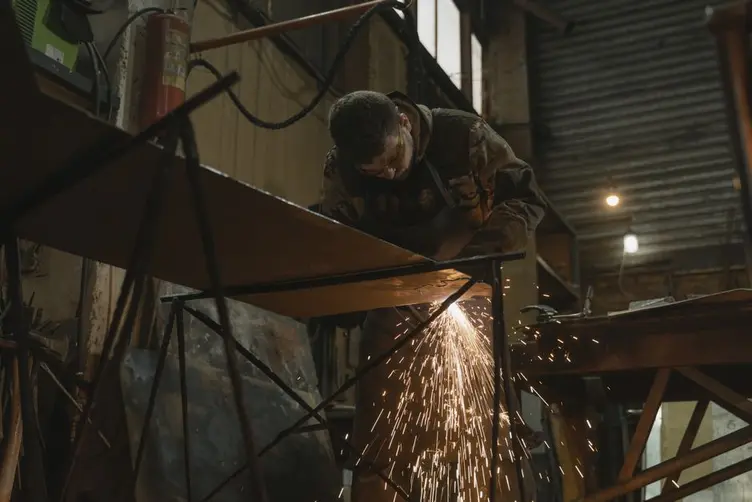
A welding bay does not run like an office queue. Helmets on. Noise. Someone looking for the right wire. The forklift is elsewhere. The job that was "ready" is still missing a drawing.
Day to day, the floor usually needs:
- which jobs are ready to weld, not still in cut or fit
- who is on which bay
- what finished last shift
- what is overdue or due this week
- a next job that does not require a lap of the building
If the answer lives in three notebooks and a leading hand who is already on the phone, you do not have welding management. You have memory.
Night shift feels this first. Day shift leaves a note. The note says "nearly done." Nearly done is not a job number, a remaining weld, or a due date. The bay waits. Someone eventually says send it because standing around looks worse than guessing.
That is not a people problem. It is missing visibility.

Quality paperwork vs shop floor visibility
Workshops are often overlooked when companies spend on systems. The office gets the new software. The bay gets a folder and a promise that "the boys can log in if they need to."
Quality paperwork matters. Missing a procedure on a structural job is not a joke. The mistake is treating the folder as the plan.
The Lean Enterprise Institute describes visual management as putting status in plain view so everyone can read it at a glance. A WPS binder in the office is not that. A planning board that still matches the floor on Friday afternoon is closer.
Workshop software should reduce friction, reduce paperwork, and work for people who are not sitting at a desk. If welders will not update it with dirty gloves in thirty seconds, they will ignore it. Then QC updates it after the fact, and you are back to yesterday's story dressed up as live data.
Job tracking answers where the work is. Welding quality software answers whether that weld was allowed and recorded. Buy the one that matches the pain you actually have this month.
Welding as a process, not a separate universe
In a fab shop, weld is usually one stage in a longer job: cut, fit, weld, blast, paint, deliver. Treating welding as its own software planet is how you get two truths.
The weld bay thinks the job is waiting on material. The office thinks it is in weld. The painter is asking when it will arrive. Nobody is lying. The systems do not talk, or nobody updates them.
Steel fabrication software only helps if weld is a stage on the same job as cut and dispatch. Isolated weld tickets without job progress are just more paper with better fonts.
The ABS Australian Industry data still shows manufacturing as a large employer nationally, mostly in small and mid-sized operations. Those shops do not have a welding IT department. They have a supervisor, a leading hand, and whatever still works after a busy week.
What to look for before you buy
Ask these on the bay, not in the demo.
Flow
- Can you see weld as a stage on the same job as fit-up and paint
- Does "ready to weld" mean the previous step is actually complete
- Can night shift read the next job without ringing day shift
Adoption
- Can a welder update status in under a minute
- Does it work on a phone or tablet near the bay
- Who maintains it when the shop is flat out
Scope honesty
- Are you buying quality records, workshop visibility, or both
- Can you start with job flow before you model every procedure
- Will QC and the floor use the same job numbers
If the vendor cannot explain how a 12-person shop uses it on a Friday afternoon, walk away.
Stagetrac sits on the visibility side: jobs, stages, time, and a board the floor can trust. It will not replace a full weld procedure system if you are in heavy code work. It will replace the lap, the whiteboard guess, and the "what are the welders on" phone call. If you want a rough number on how much that coordination is costing, the free workshop audit takes a few minutes.
You might not need welding software yet
If one shift, a handful of bays, and the leading hand still knows every job by name, a disciplined board and a handover that names remaining welds may be enough. Do not buy a quality platform because the homepage said "total welding management."
Software earns its place when:
- welders wait because nobody can say what is ready
- QC and production argue about which job is actually complete
- due dates slip in weld because the backlog was invisible
- night shift inherits notes instead of a list
You might only need clearer stages on the existing workshop planning board and a rule that "nearly done" is not a status. That is free and harder than a subscription.
Practical takeaway
Welding management software should make the next weld obvious. Search results will try to sell you the audit first. Some shops need that. Plenty of bays need the job list first.
Match the tool to the bottleneck. Procedures if the code body is the problem. Visibility if the bay is standing around. Simple systems that welders actually open beat a perfect quality file that only the office understands.
That is usually where the waiting starts.
Frequently asked questions
What is welding management software?▼
Do small welding shops need welding management software?▼
Is welding management software the same as steel fabrication software?▼
What is the difference between WPS software and workshop welding software?▼
What features matter most on the welding bay?▼
Can a whiteboard replace welding management software?▼
When should a shop buy welding quality software?▼
How does welding fit into job tracking?▼

Gordon Hogan
Founder, Stagetrac
20+ years on the workshop floor. Built Stagetrac after watching too many whiteboards, spreadsheets, and planning boards fail under real production pressure.