Production planning software: what workshops need first
Production planning software is not the same as scheduling or full MRP. Here is what small fabrication and machine shops need before buying another Gantt chart.
Production planning software is sold as the layer that sits above the chaos: demand, capacity, materials, due dates, and a plan everyone can follow. In a small fab shop or machine shop, the chaos usually arrives before the plan does.
If the tool needs a production planner upstairs full time before the floor gets any benefit, you bought planning for a factory you do not run.
What production planning software actually does
Production planning software helps a workshop decide what to make, in what rough order, with what resources, against which deadlines. It is broader than today's dispatch list. Narrower than a full ERP science project.
At a practical level it should help with:
- seeing active jobs, due dates, and progress in one place
- understanding load across machines or processes
- spotting material or capacity problems before dispatch week
- turning customer demand into a plan the floor can actually read
- updating the plan when reality changes without rebuilding a spreadsheet
Production planning in larger plants often means master schedules, MRP runs, and formal capacity models. In a 15-person job shop it usually means answering simpler questions: what is late, what is next, what is blocked, and whether we still believe our own due dates.
Good production planning software reduces searching and arguing. Bad planning software produces a beautiful plan that nobody on the floor trusts by Wednesday.

Production planning vs production scheduling
People mix these up because vendors put both words on the same pricing page.
Production planning is the wider picture: which jobs matter this week, rough sequencing, capacity, materials, and whether the shop can hit its promises. Production scheduling software is the tighter view: which job runs on which machine today, in what order, with which operator.
| Layer | Question it answers |
|---|---|
| Production planning | What should we focus on, and can we still hit due dates |
| Production scheduling | What runs next on each work centre today |
| Job tracking | Where is this job right now |
Plenty of shops need planning visibility before they need optimisation logic. If supervisors still do laps to learn job status, a Gantt chart upstairs will not fix that. Fix visibility first. Sequencing second. Fancy algorithms third.
What small workshops need from planning first
ERP systems usually fail on the workshop floor because they are built around reporting and office workflows, not adoption where hands are dirty and the radio is loud.
Before you worry about master production schedules, most small shops need:
- a trusted view of active jobs and due dates
- progress the floor actually updates
- bottlenecks that show up before the customer rings
- time remaining on open work where estimates exist
- handovers that do not rely on one person's memory
The supervisor can be ten minutes into the morning plan when someone sends the new starter to find a long weight. Classic workshop banter. Twenty minutes gone and nobody has moved a job yet.
That overlaps with a workshop planning board and operational planning more than it overlaps with SAP. The Lean Enterprise Institute calls this visual management: make abnormal conditions obvious before they become a dispatch crisis.
A planning board should be easy to understand, update quickly, and help workers check status before asking Dave. Production planning software earns its place when manual planning cannot keep that promise anymore.

Planning software vs full MRP
The brochure version of production planning software often comes wrapped inside full MRP: BOMs, routings, inventory transactions, purchasing, finance, and a dashboard that glows in the dark.
That makes sense for some manufacturers. It overwhelms plenty of job shops.
| Approach | Fits when | Falls over when |
|---|---|---|
| Whiteboard / Excel | Low volume, one trusted planner | Shift overlap, fast job churn, version errors |
| Planning-focused software | Job visibility, due dates, floor updates | You need deep finance integration on day one |
| Full MRP / ERP | Mature data, admin staff, stable routings | Small shop asked to model everything before anyone uses it |
Generic MRP wants clean BOMs and accurate inventory before the plan is useful. Custom fab shops often run on job cards, revised drawings, and a whiteboard that tells a story if you know who wrote on it last.
Start with what the floor needs this week. Not what the ERP roadmap promises next year.

When spreadsheet planning stops working
Spreadsheets work. People still use them because everyone knows them and changing systems is hard.
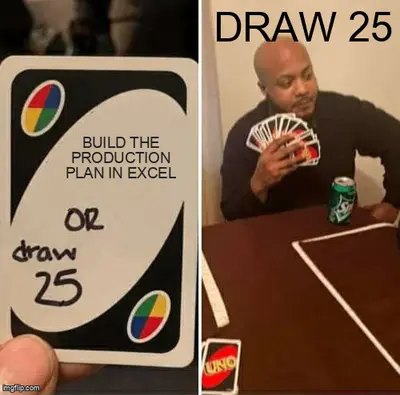
They stop making sense when one wrong edit can corrupt a row, version control becomes "which file did Dave save," and the planner spends more time fixing the sheet than planning the work. Someone hits Ctrl+F, replaces a cell with the letter F, and the supervisor is doing spreadsheet first aid instead of production planning.
Spreadsheets also fail handovers. Night shift notes one thing. Day shift reads another tab. The customer gets a date based on a formula nobody has audited since March.
The ABS Australian Industry data still shows manufacturing employing hundreds of thousands of people nationally, mostly in small and mid-sized businesses where coordination overhead is easy to underestimate. A lot of that overhead lives in planning tools that never quite match the floor.
What to look for before you buy
Ask these on the shop floor, not in the demo room.
Visibility
- Can a supervisor see overdue and near-due jobs in one view
- Does progress update when work moves, or only when someone retypes status upstairs
- Can night shift read the plan without ringing day shift
Fit for job-shop work
- Handles one-off and small-batch jobs without forcing fake routings
- Shows blockers and waiting work, not only completed tasks
- Works for fab, machining, or mixed processes without a PhD in ERP
Adoption
- Updates take seconds from the floor
- Training measured in hours, not weeks
- Supervisors stop doing status laps after month two
Honesty about scope
- Can you start with planning visibility before buying every module
- Does it help job tracking and scheduling, or replace them with paperwork
If the vendor cannot explain how a 15-person shop uses it on a busy Friday, walk away.
Stagetrac is automatic job tracking for production workshops: live visibility, due dates, remaining time, and daily summaries that replace the morning lap. If you want a rough sense of how much manual planning is costing before you sit through demos, the free workshop audit takes a few minutes.

You might not need planning software yet
If your shop is small, one shift, and the whiteboard still matches reality on a busy Friday, fix discipline before you buy tools. A planning board that everyone trusts beats software nobody opens.
Production planning software makes sense when manual planning costs you hours every week in searching, re-promising dates, and rework from wrong assumptions. When job volume, departments, or shift overlap mean one person cannot hold the full picture in their head.
You might only need clearer handovers and a board people update without being chased. That is cheaper than a subscription and harder than it sounds.
Software helps when the pain is real and recurring. Not when someone upstairs watched a webinar about digital transformation and decided the whiteboard looked untidy.
Practical takeaway
Production planning software should tell the shop what matters now: which jobs are late, what is blocked, what is next, and whether the plan still matches the floor.
Buy for visibility and adoption first. Scheduling depth second. Full MRP when the shop is ready to feed it honest data.
Simple systems that supervisors and leading hands actually open beat complex systems that only look correct in the office. That is usually where planning money is wasted or saved.
Frequently asked questions
What is production planning software?▼
What is the difference between production planning and production scheduling?▼
Do small workshops need production planning software?▼
What is the difference between production planning software and MRP?▼
When should a workshop move from Excel to production planning software?▼
What features matter most in production planning software for job shops?▼
Can production planning software replace a planning board?▼
How is production planning software different from workshop management software?▼

Gordon Hogan
Founder, Stagetrac
20+ years on the workshop floor. Built Stagetrac after watching too many whiteboards, spreadsheets, and planning boards fail under real production pressure.